

Ambula offers powerful self-serve tools that allow you to
document what you want to, how you want to
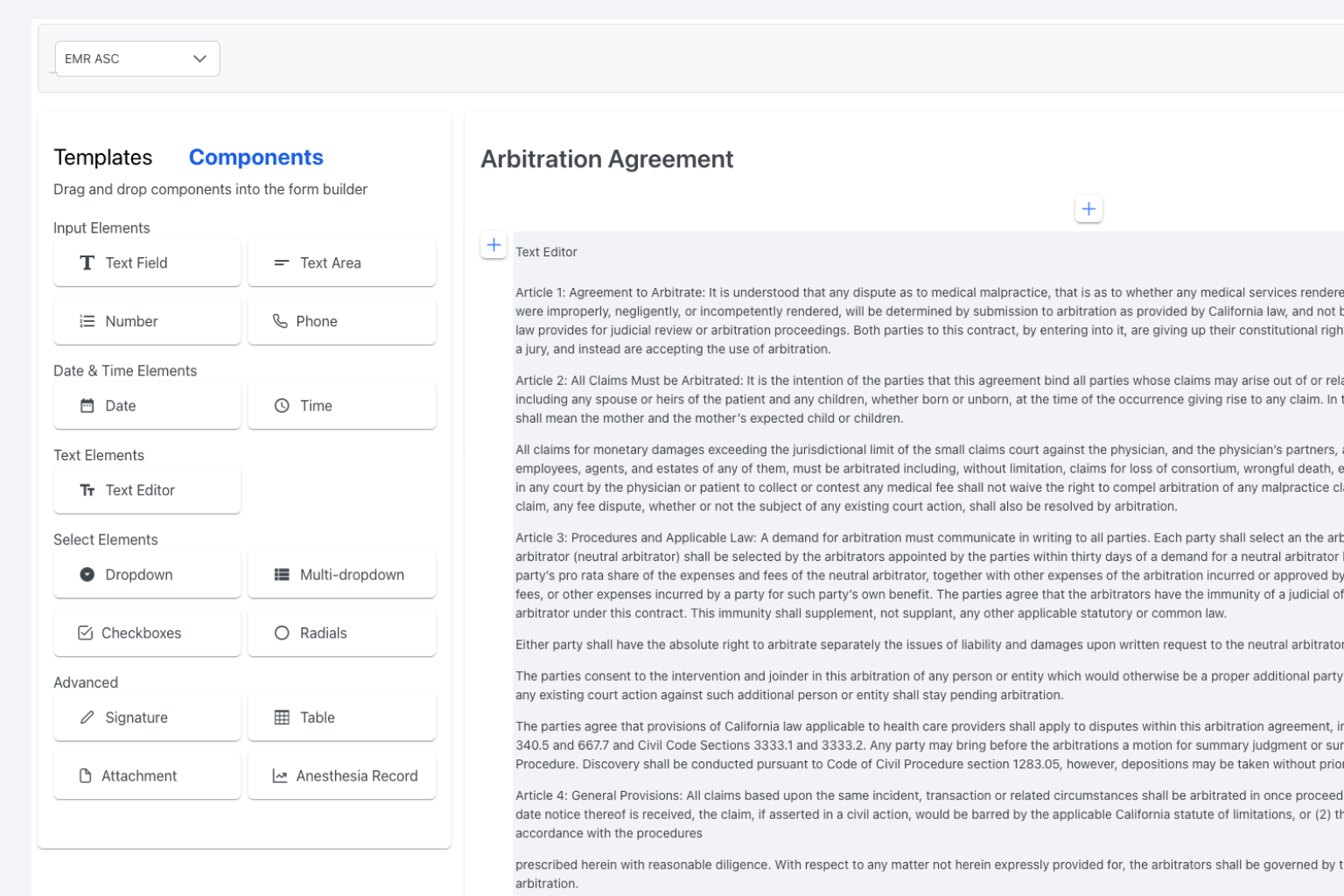
Easy Drag-and-Drop Functionality
Our drag-and-drop functionality makes it easy for healthcare providers to create customized forms without coding or technical expertise. Select the fields you want to include, and drag them into place. It’s that easy!
Connect data from other forms
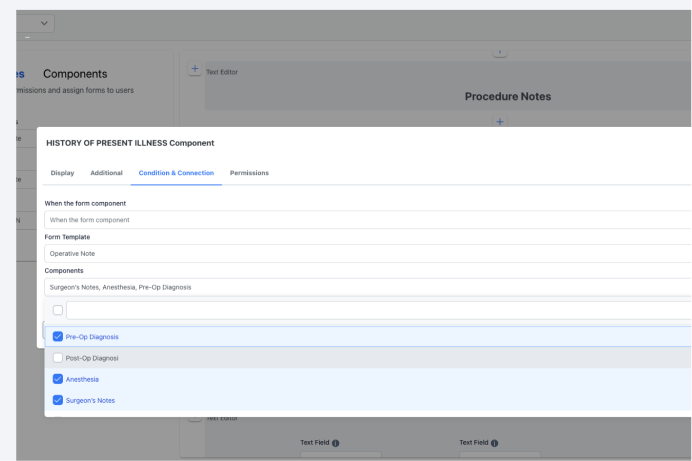
Ambula’s form builder allows you to leverage data from one forms and populate it into other forms.
Save hours a day from inputting redundant data such as medications, allergies, and other medical history.
Create advanced workflows, logic & conditions
Layer in workflows, logic and condition into any form so that it can fit how you want to document information.
Create templates within forms, linear workflows, and much more.

World Class Support
Ambula provides world class support for all their healthcare partners to ensure they are successful. We will guide you with the best practices on how to build your own forms, workflows and reports.
A new way to work awaits you
Schedule a demo with our practice success manager to show you how to save 2 hours a day & boost patient volume.
Frequently asked questions
Everything you need to know about the Form Builder