
A scheduling workflow is the set of steps between "I need an appointment" and "the patient is in the room, the chart is ready, and the next visit is booked." When each step has an owner and a checklist, fewer calls get dropped and fewer patients arrive with missing paperwork.
This guide is for front desk leads, schedulers and practice administrators who want a concrete, step-by-step workflow they can adapt. It walks through each stage in order, then follows one example: a new personal injury patient referred by an attorney. For a broader look at ownership and measurement, see what you need to know about patient scheduling workflow.
What is a patient scheduling workflow?
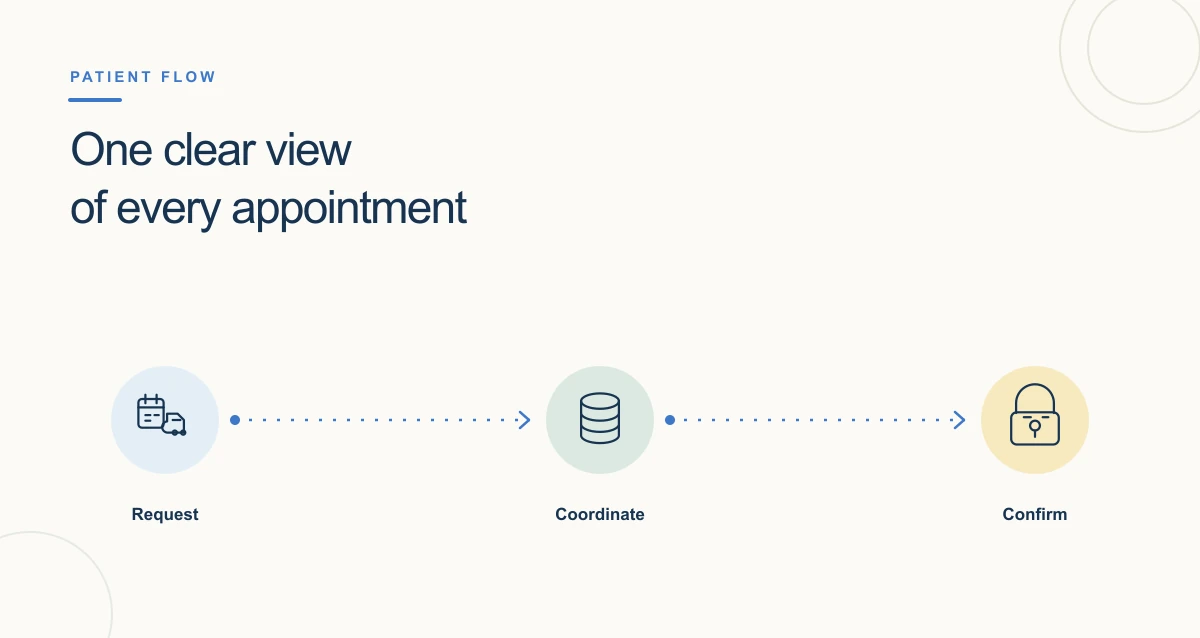
A patient scheduling workflow is the ordered sequence of tasks a practice uses to take an appointment request, book the right visit, prepare the patient and chart, see the patient, and set up the next visit. It defines who does each task and what information must be complete before moving on.
Writing the workflow down matters because scheduling touches several people. The scheduler, the intake coordinator, the billing team and the clinical staff all depend on information collected at the first call. If one step is skipped, the gap usually surfaces on the day of the visit, when it is hardest to fix.
What are the steps in a patient scheduling workflow?
Most outpatient practices can work from the same eight steps. The details within each step change with the specialty and the type of patient.
- Receive the request. Log how the request came in (phone, online booking, provider referral, attorney referral) and who sent it.
- Find or create the patient record. Search for an existing chart using more than one identifier before registering a new patient, so you do not create a duplicate.
- Confirm how the visit will be paid. For insured patients, collect plan details and check eligibility. For self-pay or personal injury patients, record the arrangement before the visit is booked.
- Match the visit type, provider and length. A new patient evaluation, a follow-up and a procedure need different slots, providers and preparation.
- Book and confirm. Offer times, book the slot and send a confirmation with the date, location and instructions.
- Prepare before the visit. Send intake forms and consents, request outside records or imaging, and check that required documents are back before the day of the visit.
- Remind and check in. Send reminders ahead of the visit. At check-in, confirm the patient's identity and any changes to contact or payment details.
- Close the loop after the visit. Book the follow-up before the patient leaves, follow up on no-shows, and send any updates the referring party needs.
What information should the scheduler collect at the first call?
Collect what the next steps depend on: the patient's identifiers and contact details, the reason for the visit, the referral source, how the visit will be paid, and any accessibility or language needs. Missing items should become tasks with an owner, not notes on a sticky pad.
The patient demographic data elements guide covers the registration fields many practices collect. Recording them the same way every time makes it easier to find the right record later.
How does the workflow change for a personal injury referral from an attorney?
A personal injury referral adds a third party, a different payment arrangement and a records trail that will be read outside the practice. The eight steps stay the same, but several of them carry extra items.
| Step | Extra items for an attorney-referred personal injury patient |
|---|---|
| Receive the request | Record the referring law firm, the attorney and the case contact. Note that the patient was referred by an attorney. |
| Find or create the record | Check whether the patient has been seen before, under insurance or another case, so the new case is linked to the right person. |
| Confirm payment | Record whether care will be billed under a lien or a letter of protection (LOP), and whether the patient has health coverage. |
| Match the visit | Book a new patient evaluation with the right specialty, and plan for any imaging or diagnostics the provider may need. |
| Prepare before the visit | Send intake forms that capture the accident and symptoms, consent forms, the lien or LOP document, and a HIPAA authorization if records will be shared with the firm. |
| Close the loop | Book follow-ups for a treatment plan that may span months, and share status or records with the firm only as the authorization allows. |
Two rules shape the paperwork. Under HIPAA (the Health Insurance Portability and Accountability Act), releasing records to the patient's attorney generally requires a valid authorization signed by the patient, which describes the information, the recipient and the purpose, and includes an expiration date or event (45 CFR 164.508). In Florida, a claimant treated under a letter of protection must disclose the letter, itemized and coded bills, whether they had health coverage, and whether they were referred for treatment under a letter of protection and by whom. Recording the referral source at the first call makes that easier to answer later. See what is a letter of protection for more.